The issue tracker with no paid tier
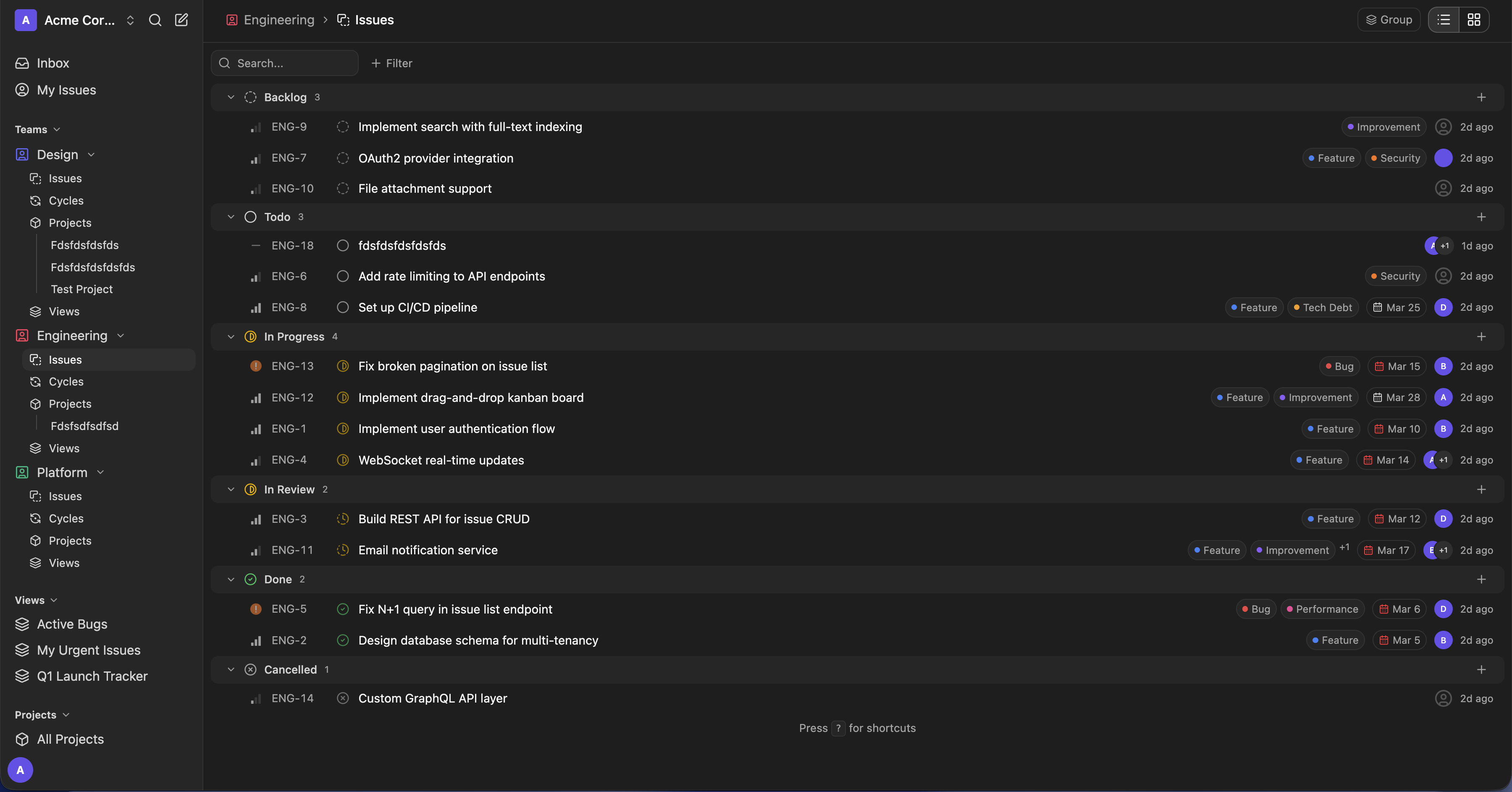
Run Kuayle on your own infrastructure. Plan multi-assignee issues in cycles and projects, keep private teams private and link GitHub pull requests to issues, all from one Apache 2.0-licensed codebase. Opt-in Dev Machines add self-hosted agentic coding environments.
Press C to create an issue. ⌘K to search issues and navigate.
Source and license
One public edition
Kuayle is distributed under Apache 2.0 from one public repository. There is no separate commercial codebase for the features listed on this site.
Apache 2.0 license
Use, modify and redistribute Kuayle, including for commercial purposes, subject to the Apache 2.0 terms.
One public edition
The implemented issue tracking, planning, GitHub, real-time and access-control features are maintained in the public repository.
Your database, your data
Application records stay in your PostgreSQL database. Uploads use local storage or an S3-compatible service that you configure.
Read how the licensing model works. Verify the claims directly: the repo is public. Read the license and inspect the implementation before deploying it.
Features
Implemented in Kuayle today
The current v0.1.24 release covers issue tracking, cycles and projects, private teams, GitHub automation and analytics, plus opt-in Dev Machines for agentic coding. The source for each feature is available in the public repository.
Keyboard-driven
Create issues with C, search with Cmd/Ctrl+K, and update status, priority, assignees or labels from the issue view.
View featureCycles
Time-box work with the full issue list, a searchable issue picker, burndown and velocity charts, and optional carry-over.
View featureProjects
Group issues across teams and work them in list, board or Gantt layouts with project dates, a lead and progress.
View featureDev Machines
Opt-in multi-container coding environments: code-server, a native terminal, an in-browser Chrome and agent providers working issue worktrees — all behind an authenticated gateway.
GitHub integration
Match issue IDs in branches, commits and pull requests, move issues with configurable rules, and get a bot comment linking each new pull request to its issue.
Private teams
Limit issues, projects, cycles, comments and attachments to team members. Owners and admins keep access.
View featureVersion history
Review every recorded title and description edit with its author, time and full before/after values.
View featureAnalytics & Insights
Workspace and team overviews, burn-up trends and an insight builder for count, lead time and cycle time.
View featureViews, triage, labels
Saved filters as shareable views, a triage inbox for incoming work, hierarchical labels and per-team custom workflows.
View featureRoles, invites and tokens
Owner, admin, member and guest roles, invite links, optional invite-only sign-up and scoped personal access tokens.
View featureReal-time sync
WebSocket events notify connected workspace clients about issue, comment, cycle and GitHub changes.
View featureWorkspace transfer
Export a workspace as a portable archive and import it on another instance, with secrets left behind.
View featureA closer look
Planning and history, from the current release
Screenshots from a local instance with the repository’s seed data.
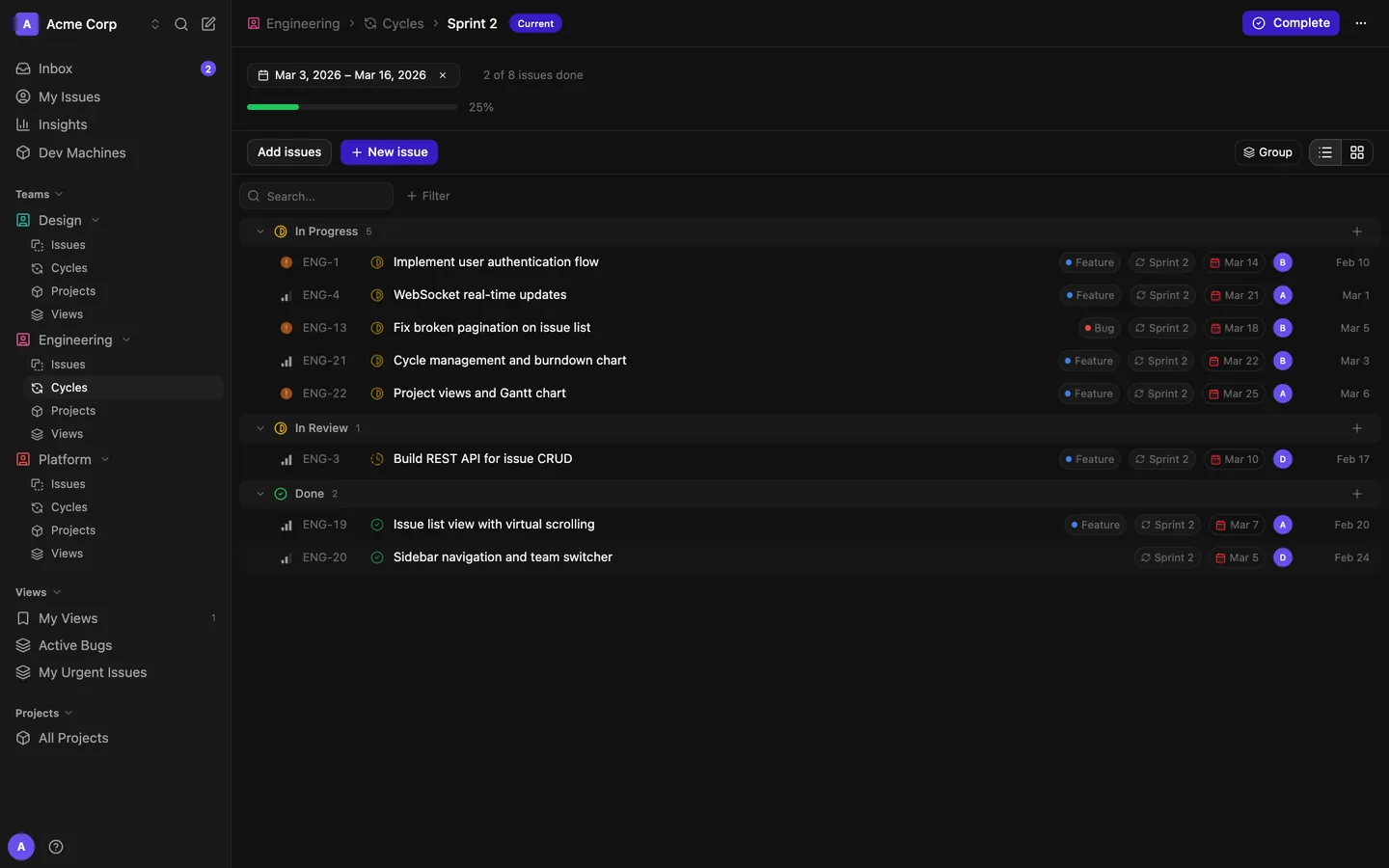
Every cycle works like your issue list
Group, filter and bulk-edit cycle issues in list or board layouts. Add issues from the whole team with a searchable picker, or create one already assigned to the cycle.
Read about cyclesDev Machines · Opt-in
Agentic coding, on your own metal
Create an isolated multi-container environment that can combine a developer workspace, browser and on-demand agent runs. Machines can attach issue worktrees. Agent runs can report commits and pull requests in their normalized results; manual IDE and terminal commits are not automatically attached to issues.
- code-server IDE and a native xterm terminal in your browser
- Claude Code, OpenCode, Codex or custom CLI agents on issue worktrees
- Authenticated gateway routing — no public ports, one-time launch tickets
- Workspace policies for concurrency, runtime, providers and idle pause
Keyboard-first
Shortcuts for frequent issue actions
Use C to create an issue and Cmd/Ctrl+K to search issues or open workspace destinations. Inside an issue, S, P, A and L open the status, priority, assignee and label controls. G then I, M, A, P or S jumps to Inbox, My Issues, Insights, Projects or Settings, and ? lists every shortcut. Triage and the inbox use J/K for navigation.
See every shortcutPricing
No software license fee
Kuayle does not charge per user and does not enforce paid feature tiers. The software is available under Apache 2.0 and runs on infrastructure you operate.
You remain responsible for infrastructure, storage, backups, monitoring, upgrades and the time required to operate the instance.
Self-hosted
- No software-enforced user or workspace limit
- No software-enforced issue, project or cycle limit
- Private teams and role-based access control
- Issue version history
- GitHub integration with auto-transitions and PR comments
- Real-time sync via WebSockets
- Saved views, triage and labels
- Analytics and configurable insights
- Workspace export and import
- Opt-in Dev Machines subsystem
- Public share links and personal access tokens
- Apache 2.0 source code
One public edition — no enterprise repository, no license key.
Self-host
Deploy with Docker Compose
The self-hosting stack runs Caddy, PostgreSQL 17, Redis 7, the Go API and the SvelteKit app.
Set the required secrets, start the services, then run the database migration and seed commands.
Later updates use selfhosting/update.sh or the optional
in-app updater.
$ git clone https://github.com/carbogninalberto/kuayle
$ cd kuayle/selfhosting
$ cp .env.example .env
# edit .env (set DOMAIN, JWT_SECRET, POSTGRES_PASSWORD)
$ docker compose up --build -d
$ docker compose exec backend /app/server migrate up
$ docker compose exec backend /app/server seed